Your Orbit

Find your place in the universe.

Every schedule is a web of people, places, and time.Orbit puts you at the center of yours — where to be, who you're with, what's coming.HAL is your assistant in the corner.Built for the people who live the schedule, not just build it.

You HALyour assistant Dr. Chen Dr. Patel Main Campus Room 4 · AM
One screen. Everything about today.

Not a read-only copy of the coordinator's grid.Your card is built for you — your assignment, your team, your prep, your changes.The schedule as you actually live it.

Your day, already sorted.

The coordinator sees the whole week.You see today — the specific rooms, people, and moments that belong to you.Changes get flagged.Unfamiliar locations come with prep notes.Props from your team are visible.

  • Where you are and who's with you, hour by hour
  • Site prep tips when you're in a new location
  • What changed since you last looked
  • Recognition from teammates, visible where it matters
  • One tap to swap, comment, or ask HAL
It's not a website. It's yours.

The Orbit app for iPhone and Android puts your day where your eyes already are: the lock screen shows the morning glance, a widget keeps it current, the watch carries the essentials, and when plans change mid-clinic, your day updates before anyone has to text you.Everything on your daily card — swap, pick up, say "can't make it," ask HAL — works natively, with your changes confirmed right in the chat.And the browser always works too: same schedule, same day, nothing to install.

In beta today · App Store and Google Play next
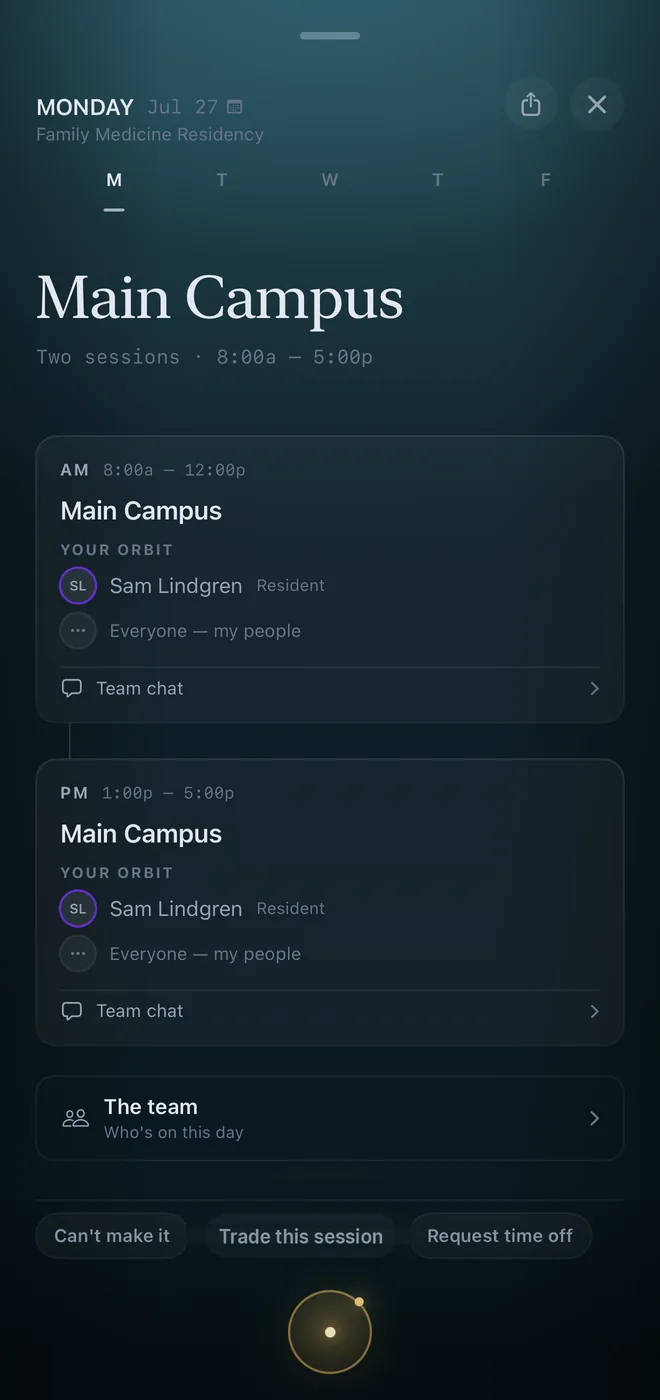
The Orbit day poster on iPhone: Monday at Main Campus, two sessions with your team listed on each, and Can't make it, Trade this session, and Request time off one tap away.
Clinic dayYour day opens composed: where, when, who — and one tap to act.
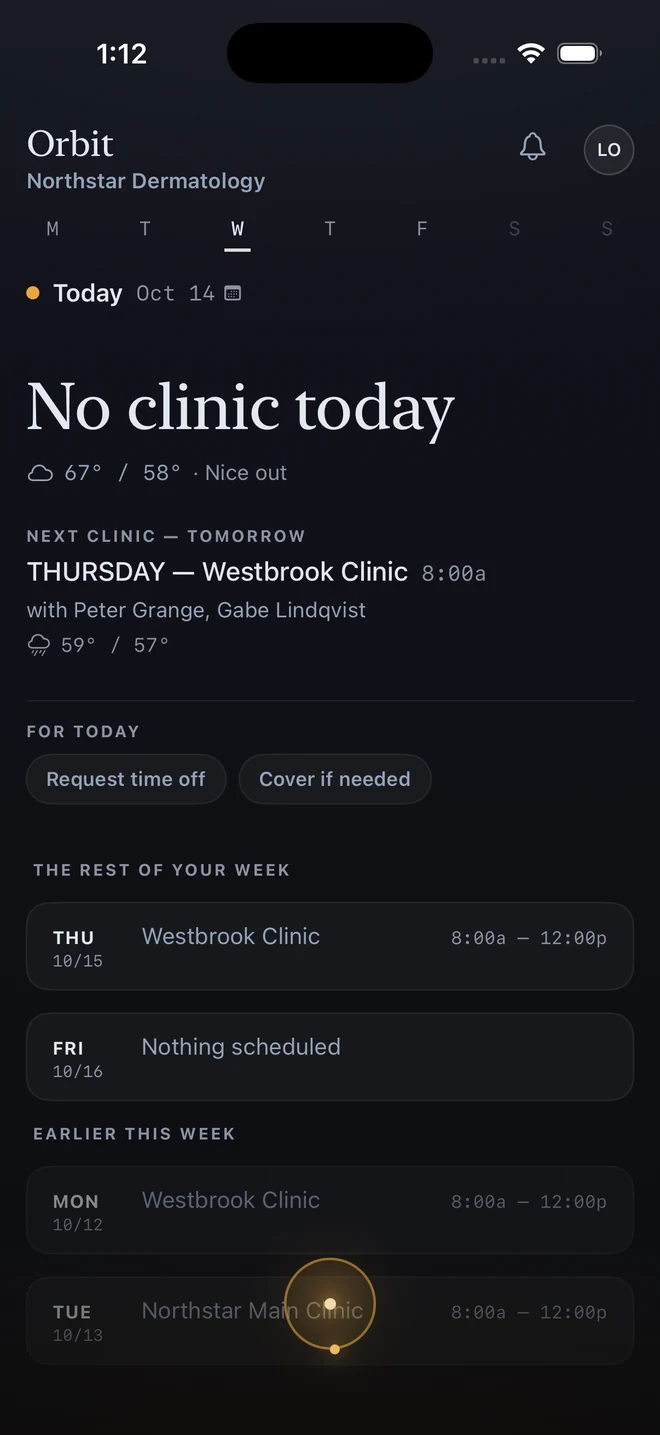
The Orbit day on an off day: No clinic today with the weather, then the next clinic — tomorrow at Westbrook Clinic at 8:00a, with who is working and the forecast.
Off dayOn a day off, it says so — and shows when you’re back.

Real screenshots · Orbit for iPhone · demo program

Built for the way you actually work.

Scheduling software usually serves the person making the schedule.Orbit treats the person living it as a first-class user, not an afterthought.

Briefing

A personal digest on your phone before the day starts, narrated by HAL.What changed overnight, who you're with, any alerts — so you walk in knowing.

Your Orbit & Team chat

See who's scheduled with you today — by site, by session, by role.Team chat keeps the people working your shift talking, without group-text chaos.

Swaps, Coverage & Call Trades

Life happens.Post a swap, pick up an open shift, or file "I'm leaving at 3 on Thursday" as exactly that: a partial day, counted as exactly that, visible to everyone who reads the schedule.Need to move a call run?Propose the trade right from the phone — the other side's phone brings them the question, warnings in view, one tap to answer.Not in the app?A coverage ask, a pickup offer, or a call trade finds you as a text — reply YES to take it, NO to pass, UNDO inside ten minutes if you answered a coverage ask too fast.And everything you've asked waits in one place, My requests, with its status and its trail.

Ask HAL

Your own assistant for your schedule."Who am I with Thursday?" "When's my next procedure?" "Am I over my hours this week?" Answers in seconds.

Preferences That Matter

Tell Orbit what works — preferred sites, pairing preferences, "Wednesday afternoons protected," not all of Wednesday, "mornings, starting in October" with the dates attached.Orbit reads your preferences when it drafts, and shows your note when it keeps a slot open for you.Orbit uses them; admins don't have to remember.

Props & Recognition

A teammate covered your shift or crushed a tough day?Props are visible, public to the team, and part of the culture — not buried in email.

What you do shapes next week.

Orbit isn't a static schedule.Every small input you give — a swap request, a session rating, a preference update — flows back into HAL's scheduling engine.The longer you're on it, the better next week's schedule fits you.

You
Rate a session, post a swap, set a preference
→
Signal
Your input flows into HAL's scheduling engine
→
Next Week
The schedule reflects what you told it

A quiet feedback loop.Nothing to file.No forms to submit.

Your team's on Orbit?

Sign in with your work email.If your admin has added you, your personal view is waiting the moment you land.