The Workspace

Build the week in minutes.

The coordinator's command deck.Assign people to rooms, sessions, and sites across a multi-dimensional grid — or let HAL draft the first cut and refine from there.Credentials and fairness are enforced live, and every change is yours to confirm.

H Drafted Wed AM — confirm?
Two views. One source of truth.

Grid for precision, Board for flow — always in sync.Move someone on the Board and they're there in the Grid.The same schedule, seen the way the moment needs.
app.orbitscheduling.com
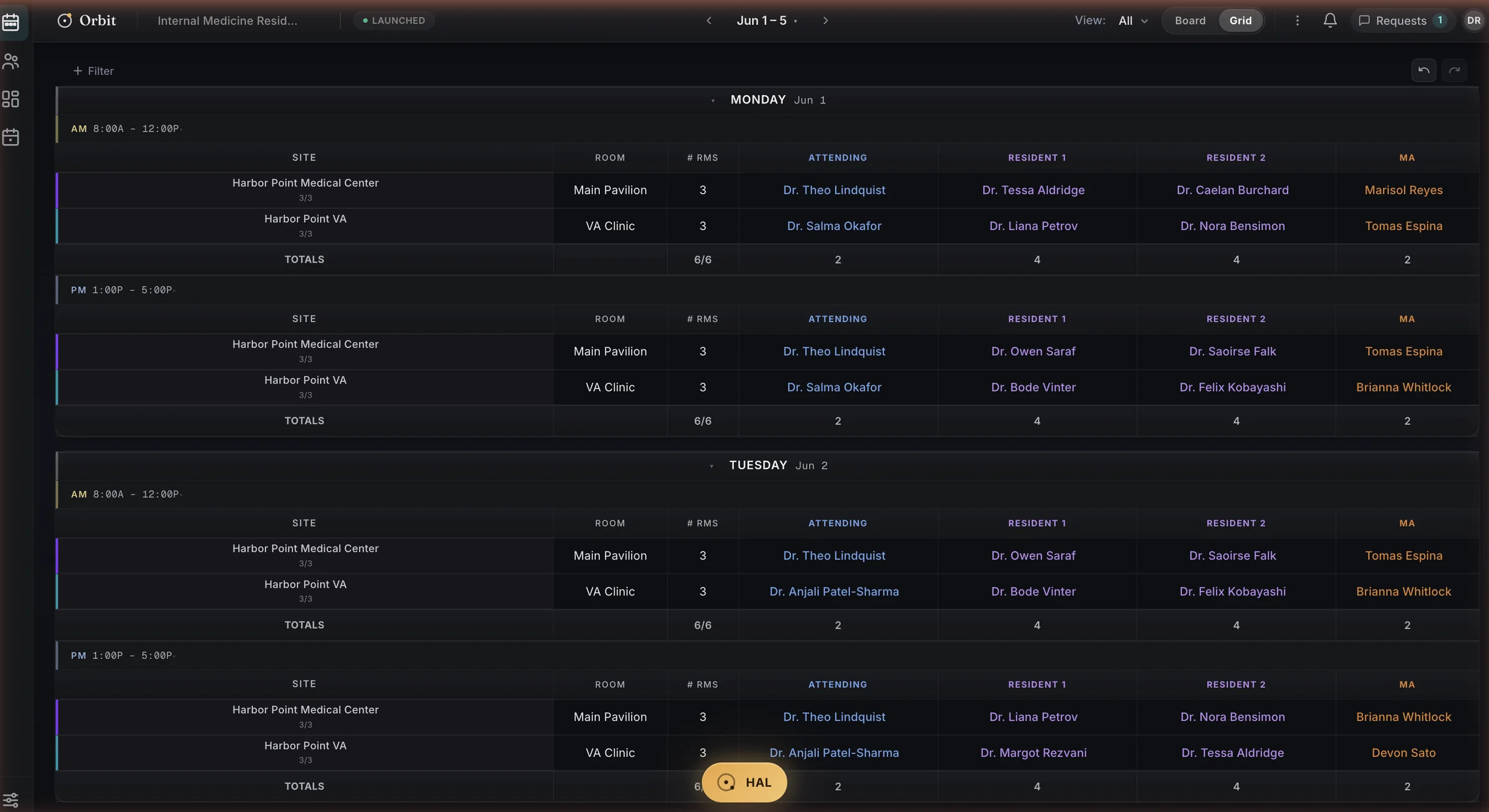
The Orbit Grid — a real launched week at a two-site internal medicine residency. Monday and Tuesday, AM and PM sessions, with attending, resident, and MA columns filled per site and per-day totals.
Real screenshot · the Grid — a launched week across two sites, AM and PM
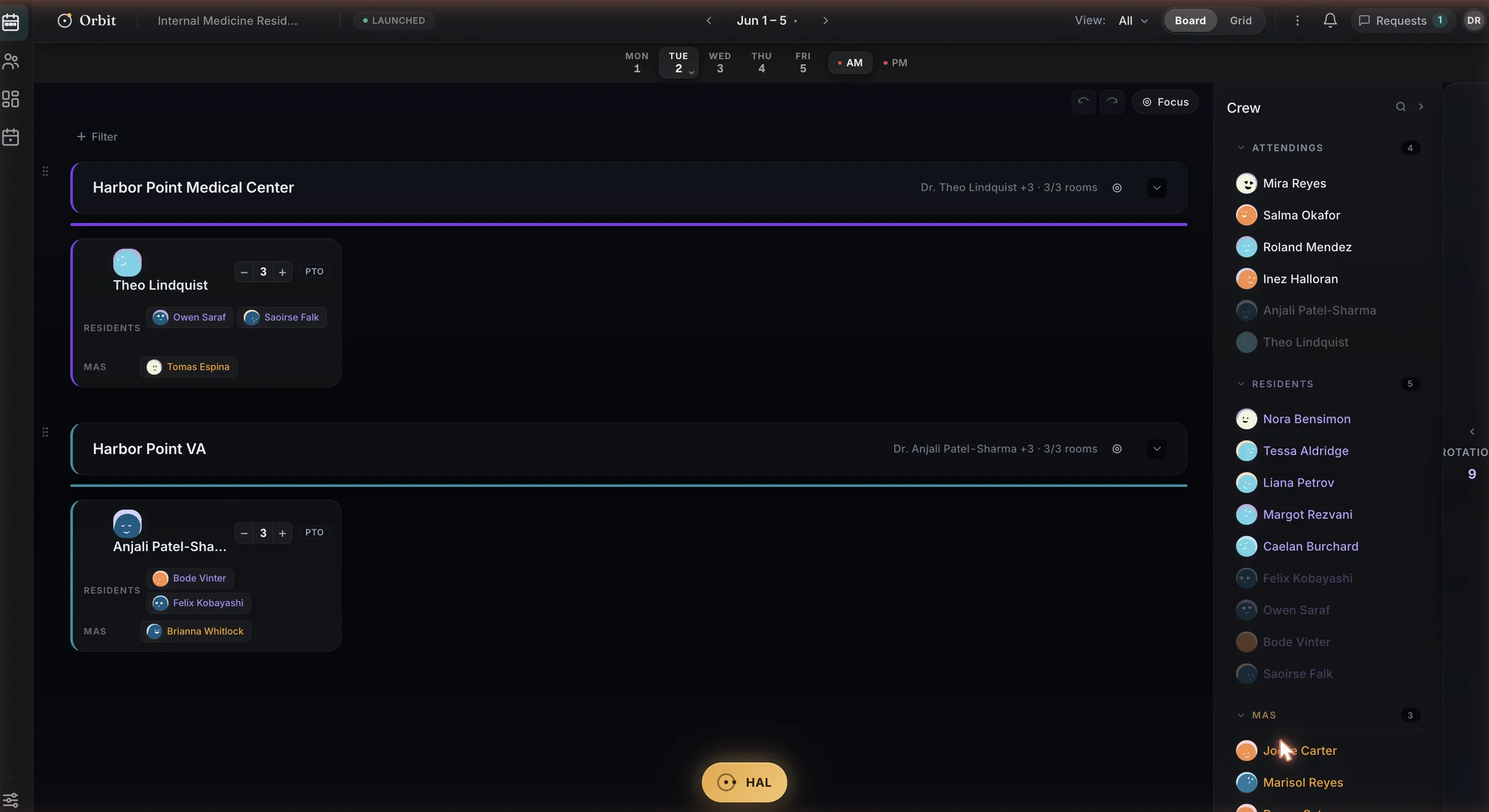
The Orbit Board — the same week as cards. Site sections for each campus with attending cards, their residents and MA chips, and the Crew panel on the right listing attendings, residents, and MAs available to drag in.
Real screenshot · the Board — same week, drag-and-drop

Grid for precision. Board for flow.

The Grid is the spreadsheet you wish you had — direct editing of any placement, sticky site and provider columns, AM and PM at a glance, full keyboard navigation.The Board is the same week as cards: drag from the staff pool, watch fairness score as you go.

  • Change a placement in one view, it's there in the other — instantly
  • Spotlight any person or site across both views at once
  • Credentials checked and fairness scored as you build
  • Every edit synced live to the whole team in real time
Everything the build actually needs.

Most scheduling tools give you a grid and wish you luck.Orbit gives you HAL, a scheduling assistant that drafts the hard parts and watches the rules.

HAL drafts the week, you confirm it

Tell HAL what you need in plain English.It drafts the week from your usual pattern; you preview, edit, and commit.Nothing reaches the live schedule until you say so — and every change is undoable.

Problems flagged as you build

Orbit checks who's qualified and how the load is spread as you build.Something off — an expired credential, a lopsided week — gets flagged the moment it happens, not after you publish.

Coverage when someone is out

Someone's out?HAL finds who can cover and asks them for you.You confirm the fill; Orbit handles the scramble.

You stay in control of every change.

By default, HAL drafts and waits for you.It drafts the change, shows its work, and waits for you.Describe what you need, see exactly what it'll do, then confirm — or undo, reversible within 24 hours.

You
Describe what you need in plain English
→
HAL
Drafts the change and shows its work
→
You
Preview, edit, confirm — or undo

HAL drafts.You decide.Every time.

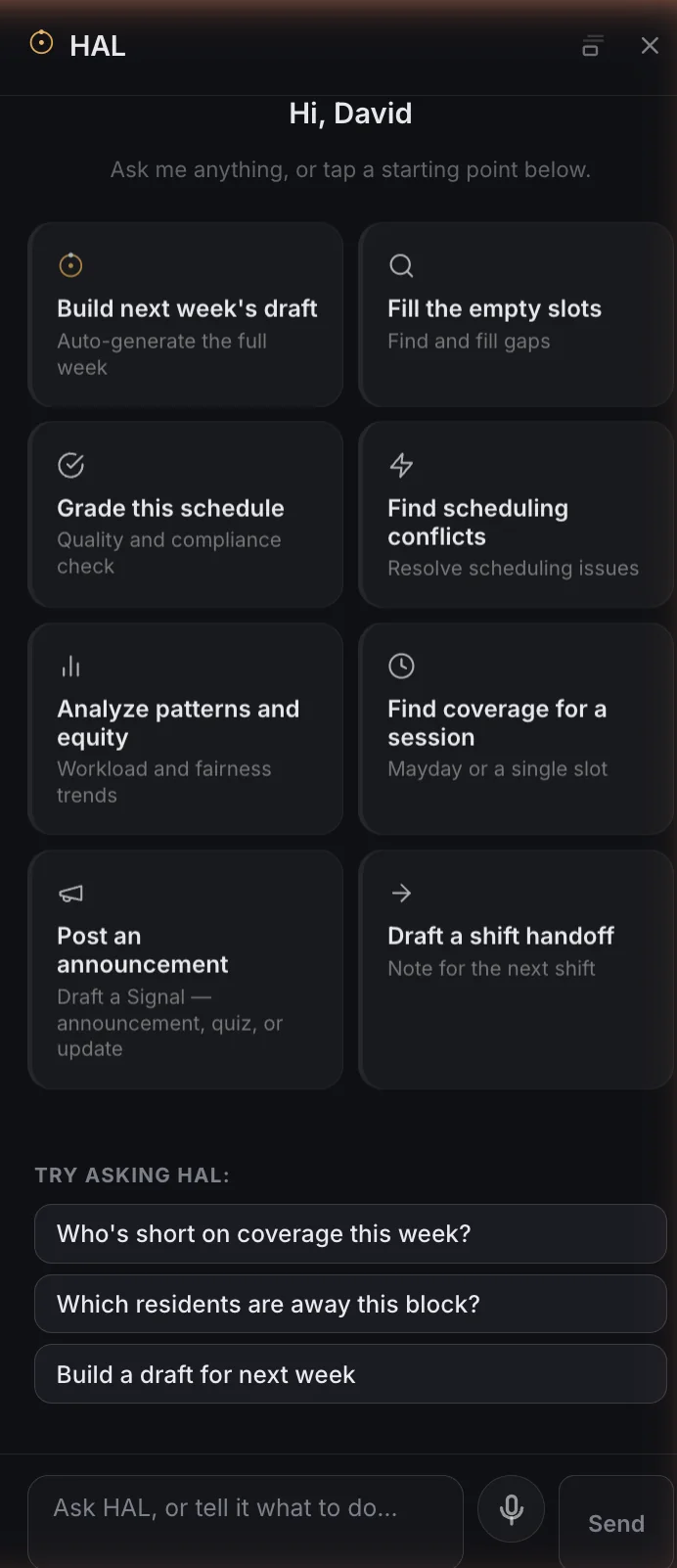
HAL's welcome panel in the real product — starting-point cards including Build next week's draft, Fill the empty slots, Grade this schedule, Find scheduling conflicts, Analyze patterns and equity, Find coverage for a session, Post an announcement, and Draft a shift handoff, plus suggested questions like Who's short on coverage this week?
Real screenshot · HAL's starting points — tap one, or just type
Ready to build your first week?

Set up your schedule fast — paste a roster, import a spreadsheet, or start from scratch.HAL takes the first draft from there.

Want the view your team gets? Explore Your Orbit →