Orbit for Education

The timetable is the easy part.
Orbit keeps it covered.

Periods, rooms, and faculty on one board the whole campus can see.HAL drafts the week, keeps loads fair, and handles the scramble when a teacher's out — you approve it with one tap.

Early access

Ready now? Start a 90-day pilot →

Same platform as Orbit for Healthcare
Tailored to your industry
Everyone signs in free
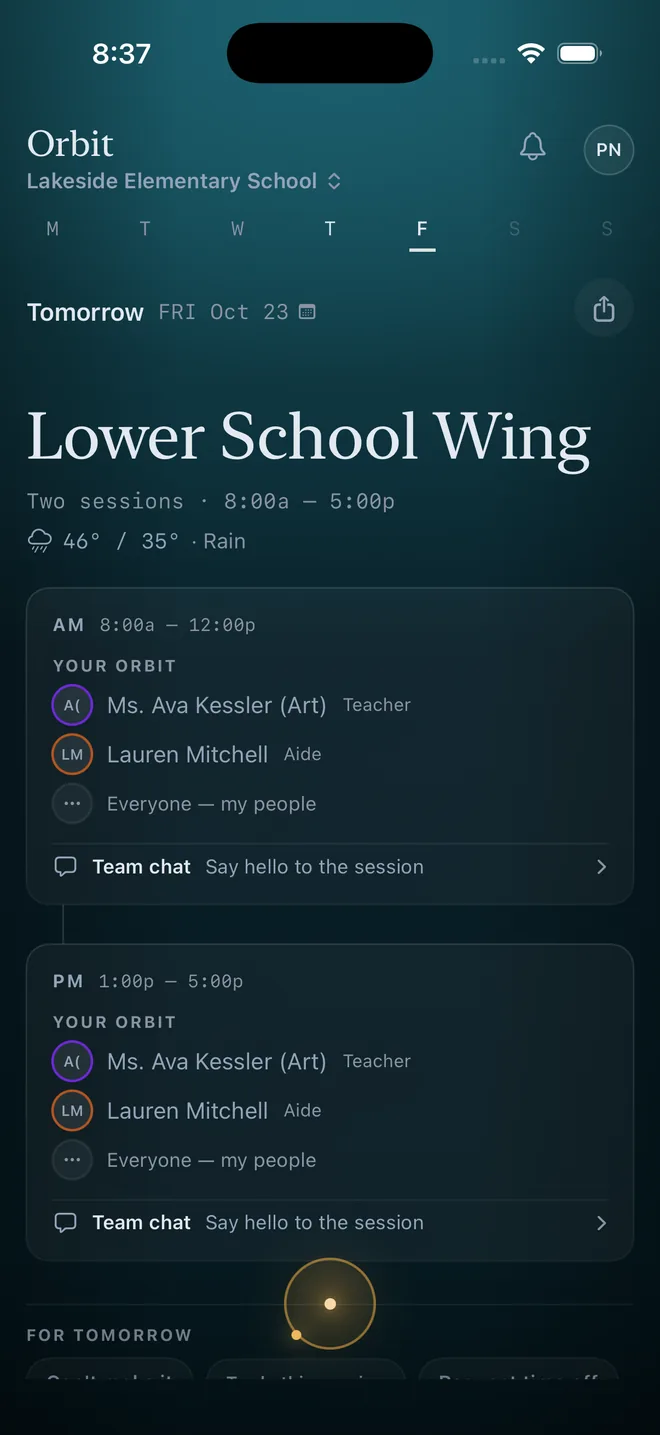
A classroom teacher's day in Orbit on iPhone: Lower School Wing today, two sessions 8:00a to 5:00p, the weather, her specials teacher and aide for AM and PM, and team chat for each session.

Real screenshot · Orbit for iPhone and Android · demo school

What Orbit Will Offer

Rooms & periods, one live board

Every teacher, room, and class period on a single board the whole campus can see in real time.Drag an assignment and Orbit catches the double-booking before two classes land in the same room.

The cover scramble, handled

A teacher calls out and there's no phone tree, no "who can take third period?" group text.Orbit offers the open period to qualified faculty and subs, takes the first yes, and books it — the whole scramble collapses into one quiet notification.

Every campus, one view

Buildings, departments, and campuses on one live board.See where staffing is thin, where a room sits empty, and where coverage is solid — without chasing five different schedules.

Up and running in
three steps

From setup to your first published schedule —

01

Define Your Campus

Set up buildings, rooms, and period blocks.Bell schedules, rotating days, multi-campus setups — Orbit handles it all.

02

Add Your Faculty

Import teachers with subject certifications, department affiliations, and prep period preferences.Full-time, part-time, and subs.

03

Let HAL Fill the Gaps

Orbit assigns teachers to rooms and periods based on certification, workload balance, and coverage needs.Publish with one tap.

Built for every role
on campus

Principals & Department Heads

See staffing across buildings and departments.Spot coverage gaps before they disrupt learning.Plan ahead with confidence.

Schedule Coordinators

HAL drafts master schedules for you to review.Handle teacher absences with automatic sub matching.Balance workloads fairly.

Teachers & Substitutes

Check your schedule from your phone.Set availability, see room assignments, and get notified of changes instantly.

Questions, answered.

Is Orbit for Education available today?

The scheduling core is live — rooms, periods, and covering an absent teacher map directly onto Orbit's sessions and coverage engine today.The deeper features on this page are the roadmap, and the earliest schools get the most say in what ships next.

What works today?

Everything a schedule needs to run: the drag-and-drop week, a personal daily view for everyone on staff, swap requests without the group chat, coverage when someone calls out, HAL, Orbit's scheduling assistant you can just talk to, and iPhone and Android apps.

What does it cost?

Same pricing as everyone: a 90-day pilot at $250 a month, set up with you, then one flat price set with you, and everyone signs in free.Details on the pricing page.

How do we get in early?

Join the education list at the top of this page — early teams talk directly with the founder and shape what ships next.Or start with a 90-day pilot — set up with you.

Want to see it in action?

The education edition is on its way — but the platform underneath it is live today.Orbit for Healthcare is live today, with HAL built in.

See Orbit for Healthcare →